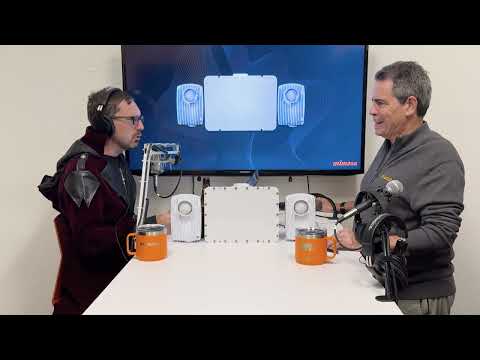
Mimosa TechTalk Episode #43: Mimosa's 5-Series Point-to-Multipoint | Antennas, Adapters and More
Whether you're a seasoned professional or new to wireless networking, this episode offers valuable insights and tips to enhance your connectivity solutions. Don't miss out on learning how our 5-series can revolutionize your network performance and efficiency. Tune in now!
Learn more about Mimosa by visiting http://www.mimosa.co. To find the closest distributor or retailer to you, please visit https://mimosa.co/how-to-buy.
To Listen to the Podcast, visit: https://soundcloud.com/mimosa-networks-techtalk/mimosa-techtalk-episode-43-mimosas-5-series-point-to-multipoint-antennas-adapters-and-more
Key Takeaways
- Point-to-point wireless can act like a long-distance Ethernet connection between two locations without requiring copper or fiber.
- The Mimosa B5x supports more channel configurations and higher throughput than the C5x, including 2x80 MHz operation and speeds above 1 Gbps.
- The C5x offers a more cost-effective point-to-point option with throughput up to approximately 750 Mbps.
- Both the B5x and C5x feature rugged die-cast aluminum construction and IP67 weather protection.
- Mimosa's Twist-on antenna system allows operators to select different antenna gains and beamwidths depending on distance, interference, and deployment requirements.
- The 30 dBi antenna uses a modular, petal-style design that reduces shipping size and simplifies packaging.
- Wider-beam antennas such as the X12 and X16 can work well for shorter links and low-profile installations, while higher-gain dishes such as the X20 and X25 provide narrower beamwidths for longer links.
- Properly peaking and aligning the signal at both ends of a point-to-point link is important for maximizing performance.
- Mimosa's new 30 dBi antenna expands the 5 Series platform for longer-distance point-to-point deployments.
- Twist-on adapters can turn B5x and C5x radios into connectorized radios that work with compatible third-party antennas.
- Reusing already-installed antennas with Twist-on adapters can reduce installation costs and eliminate unnecessary tower work.
- Antenna polarity should match at both ends of the link to avoid signal loss and achieve optimal performance.
- Operators should always configure transmit power and antenna gain according to the wireless regulations in their country.
Transcript
Transcript
Dustin: Hello and welcome to Mimosa Tech Talk, a podcast by Mimosa Networks. Hi, I'm Dustin.
Eric: And I'm Eric.
Dustin: Today we're on episode number 43: Mimosa 5 Series point-to-multipoint antennas, adapters, and more.
So you might be thinking, wow, that's almost the exact same title from your last podcast. And I'd be like, well, how do I know if you watched my last podcast or not? So there's some things that overlap here. We'll just go ahead and talk about that and we'll dive right in.
So today, PTMP, or point-to-multipoint. Eric, you want to tell me what that means? What is point-to-multipoint?
Eric: Yeah. PTMP. Well, I have a single radio access point at some fixed position, and I want to connect a number of subscribers at different locations, at varying distances from that AP.
Dustin: And so why would somebody choose to do point-to-multipoint? Why would somebody want to do it in an urban area? What's the point? Why not just do a bunch of point-to-points?
Eric: Yeah, sure. Well, that last mile of fiber or copper might be a challenge with the existing infrastructure. So why not do it wirelessly over radio? Feed the internet into one radio and beam that signal out, and have multiple client radios at each location.
Dustin: Right. And if you're doing multiple point-to-points, you're probably using more spectrum than you would with one point-to-multipoint access point. So help save the spectrum, save the world, Eric. Let's use some point-to-multipoint radios instead of a bunch of point-to-points.
And the reason I bring that up is because when I worked at a WISP, gosh, let me look here, I don't know, 12 years ago now, whatever it was, at some points we were just doing a bunch of different point-to-point radios from a rooftop when a simple point-to-multipoint radio would have sufficed.
Eric: Oh, that's interesting. So you had multiple point-to-points in one town, let's say?
Dustin: Yeah, in one town.
Eric: And you're going like this: well, you need a pair here, a pair here, a pair here. Why not just do a point-to-multipoint radio?
Dustin: Well, you know, 12 years ago or whatever, point-to-multipoint radios might not have had as much throughput as they do now. For us, we needed to do dedicated circuits, so it wasn't such a good idea back then.
Eric: Were there multiple locations, say, within one town? Did you use a sector, a bunch of sectors, or any omnidirectionals on those APs?
Dustin: Oh no. They were just directional, basically like C5x's pointed at different businesses. From one single rooftop, we were pointing to a bunch of different businesses.
Eric: Nice. What was the feedback like from the customers?
Dustin: Well, point-to-multipoint was too slow, so we had to do multiple point-to-points. But in this day and time, point-to-multipoint has come a very long way. Deployments have changed.
Doing point-to-multipoint with, say, an A5c or A5x, throughput is much greater now. These are our two 5 Series point-to-multipoint radios.
The A5c has been around a long time. The A5x has been around for several years now. The A5c, as you can see if you're watching from home, is a four-port radio. It has 750-plus megabits aggregate using Auto-TDMA mode. You can do 20, 40, and 80 MHz channels on it. It has GPS for co-location and for coordination of the client radios, and this is meant for short- to long-range deployment.
We've seen people deploy these at short distances with, say, the N5-360 Omni antenna. We've seen these deployed with sector antennas and clients connected over 10 miles away. It just depends on how you deploy your network, where you're located, and how rural you are. The more rural you are, the longer links you can have because you'll have less interference.
Eric: Yep. And you increase the gain of the antenna, or use a little dish on each client as required. Like you mentioned, several miles out. The A5c is very versatile with four ports, so you might put a four-port sector antenna on it, maybe two sectors aiming at specific directions, or maybe a four-port omni. That's a specific application and so forth.
Dustin: Yeah. So the next radio we have here, the A5x, is a two-port radio. The big difference between this radio and the A5c we just talked about is that the A5c has four ports. You use the two extra ports for beamforming gain. So it's a 4x4 radio. The clients are 2x2 radios, so you get the extra 3 dB on the downlink and can go farther distances with that. That's why I call that a long-range access point.
Eric: The extra energy is not wasted, right? We see TDMA. Onboard GPS on this one too, Dustin?
Dustin: That's right. With two ports, the A5x is more of a short- to mid-range unit. A lot of people deploy these because they're very low-profile and very small. They're only maybe eight inches tall.
Eric: I see an IP67 gland for full weather.
Dustin: Absolutely. They're IP67.
Eric: How about these LEDs on the cover? Those LEDs, they're lights that show up right where those icons are?
Dustin: Yep. For the A5x, it's a little lower power and it's a way cheaper unit. It's up to 500 megabits aggregate using Auto-TDMA. You also get 20, 40, or 80 MHz channels out of it. It's die-cast aluminum and, again, it's a short- to mid-range access point. You're probably not going to get 10-plus miles out of this, but you can certainly do five or six miles on this thing for sure.
They're available through our online distributors and our online help pages for information.
The good thing about these radios is that they're connectorized. The A5c has four ports, so you can do a four-port antenna like the KP example we have here, or the MTI example, or even our own Mimosa antenna. Or you can do two two-port sectors, which I think Eric mentioned, where you can face them in the same direction or different directions for more coverage.
The A5x is connectorized with two ports. Again, you can use any two-port RF antenna solution that supports 5 or 6 GHz. It really opens you up to being able to hot-swap a different vendor's radio out and ours in. That's where connectorized really shines.
Eric: Yeah. A note on the cables: you want to keep the cable run as short as possible. That way you ensure there's less loss in that little jumper there. You also want to weatherize the connectors and make sure there's a nice sweep or a little drip loop there so you can avoid any chance of water ingress.
Dustin: I'm sure most of our viewers or listeners are professionals, but for those that aren't or haven't really done a lot of this, why do you need to weatherproof these? What does that mean?
Eric: Yeah. We've got things like self-vulcanizing black tape, and then coax tape, seal, or putty. We want to keep moisture out of each of those four ports, for example, on this A5c.
If you experience water in the coax connection or in the port, you can have some performance suffer in that chain or stream, for example.
Dustin: And from personal experience, you will see either a complete disconnect of clients, or if it's point-to-point, the other end of the radio. If you've got water in there, the signal can drop 20, 30, or 40 dB depending on how much water is in that cable.
Sometimes, even if you think they're sealed up well, you still get moisture in there from temperature changes and whatnot. So it's not 100% going to keep it dry, but it will definitely help a ton.
Eric: And you want to put the best cables you can afford on there. We speak to things like LMR-400. That's about four-tenths of an inch outer diameter, for example, on the black jacket. There are other types of coax, but use the best you can and keep it as short as you can.
We're well above 1 GHz, so we're out of the UHF range. We're in the SHF, super high frequency, range, and the losses in a cable run start to go up. So you want to keep it short and use a nice-quality cable on there.
Dustin: Great. So let's go ahead and move on to our client radios here. We have the C5x, which can double as a point-to-point radio, but in this example it's a point-to-multipoint client, and we have the C5c, which is our connectorized client.
The C5c has been out for quite a long time now. It's probably been around since 2017 or 2018, and it's truly one of our best-selling radios. This one in particular, we've unlocked over 500,000 of these units around the world, and the C5x is literally right behind it at around 450,000 radios unlocked.
Huge, huge hits around the world. They're very cost-effective radios, and they both have their own special places in people's networks.
We'll talk about the C5c here real quick. It's connectorized, it's low-cost, and it's a very low-profile radio. It can be used with any connectorized antenna, so you can just hot-swap some competitor product out, swap this in, and just go. It's really lightweight plastic as well.
Eric: These are the smaller RP-SMA connectors on top, so just pay attention when you terminate this or go from this C5c into an antenna that you have the right jumpers.
You don't want to use RF adapters, not necessarily because there might be a third or half a dB loss using a $4 adapter to make the connection, but because we don't want to introduce anything. We want to keep it nice and clean. So get a coax jumper that's terminated with the correct connectors on both ends of it.
Dustin: Right. And then the other here is the C5x. It's one of our twist-on radios. It's low-cost, low-profile, and it's die-cast aluminum. This one is IP67, where the C5c is only IP55, so this one is ready for the harshest environments.
Eric: Yeah. And a note on the C5x: there is a built-in 8 dBi little horn antenna on there. However, the beamwidth on that is fairly wide. I believe it's at 54 degrees, so it's fairly wide.
It has specific applications. Maybe there's not a lot of other C5x's around it in the neighborhood. But typically you want to put a higher-gain twist-on antenna on there.
Dustin: Like those right there. Those are the lens. We've got a 12 dBi horn, a 16 dBi horn, a 20 dBi dish, and a 25 dBi dish.
Eric: There we go. The lower-dBi antenna, or horn as you might want to say, has a wider beamwidth, so shorter range. As you go up in dBi, that increases the distance and condenses the beam down into more of a narrower beam.
We want to mitigate interference too. Let's just say in that neighborhood you have a dozen C5x's and the neighbors are all near each other, all the client radios are near each other at houses down the street. What you want to do is go with a narrower, higher-gain dish and take that beamwidth down, keep things clean, maximize the throughput, and so on.
Dustin: Great. Well, there are people who go 10-plus miles. With the C5c, they have a connectorized two-port dish that they might use for those 10-mile-plus shots.
I know we talked about this in our last podcast, but again, there's no guarantee that the folks listening or watching have heard or watched the last podcast if point-to-point doesn't interest them. So I want to make sure that people know that we now have a 30 dBi antenna that's coming out.
We're aiming to have this available here in the next couple of weeks for people to start purchasing. As far as I'm aware, these are on the way to Malaysia right now so that we can start distributing those out.
This is the N5-X30 KP. It's a 30 dBi dish. It supports B5x and C5x. It's very easy to ship. It comes in a very small box and comes in pieces. You can kind of see, if you're watching from home, that it's sliced into six different pieces there.
This thing supports 4.9 to 6.4 GHz. Is there anything you want to add about this since we already talked about this in the last one?
Eric: I think you hit it there. On that primary reflector, the big two-foot dish there, we call those the petals, those little pie shapes. We're able to get the packaging really nice and tight, nice and small, so that should be handy for shipping.
Beamwidth, you're looking at right around five degrees, so fairly tight. If you're pushing more than a couple of miles, 20-plus miles, etc., get the compass out and peak the signal.
Dustin: All right. And then the last thing we'd like to talk about, which again we covered last time on the podcast, but it doesn't hurt to get the news out again, is twist-on adapters.
Earlier I was talking about how I really like connectorized radios. It gives you more options and allows you to connect to any third-party antenna. We've had some great vendors around the world create some twist-on adapters.
These screw into the B5x or the C5x and effectively make it a connectorized radio because they have the N ports or the RP-SMA ports on them. You can connect them to any 5 or 6 GHz antenna. You can continue to use your own antennas and just use these radios instead of having to swap the dish and the radio out.
Eric: Yeah. Very popular and versatile design, and it's been around for a bit.
Dustin: We have them, or will have them, for sale for our customers. Azzom, NetPoint, and TeleMart all have them available now, and we're partnering with these guys, or at least working with these guys, to try and get the word out so people know that these exist.
That way, if you don't want to use a twist-on antenna, you don't have to. I personally am trying to look out for folks, and Eric's looking out for folks here. We're trying to make it as easy for people as possible.
All right, Eric. Well, I guess that's it for our show. I guess we'll see you guys on our next podcast.
Eric: All right. Thanks, Dustin. Thanks, crew.